JQuery Online Live Class by Experts
Our Training/Internship Process

JQuery - Syllabus, Fees & Duration
Module 1 :The Background
- The mobile space today
- Advantages
- Challenges
- Native vs. web, is really a question?
- What is JQM?
- What is not jQM?
- What is a web app?
- Why jQM?
- Features
- Compatibility
- Requirements
Module 2: HTML5 basics
- Requirements
- HTML5 in a small nutshell
- Why HTML5?
- What do we need to know about HTML5 for jQM
- Basic template
- Testing HTML5 documents
- Emulators, Simulators & more & Viewports on mobile browsers
Module 3: The framework
- Architecture of Self hosted vs. CDNs
- Main template
- CDNs available
- Main template
- Support on IDEs
- Roles
- Theming
Module 4: The page
- Headers and footers basics
- Mandatory items in a page
- Working with HTML in the content
- Navigation
- Internal page navigation
- External page navigation
- Understanding AJAX on mobile browsers
- Absolute external links
- Mobile Special links
Module 5: UI Components
- Customizing toolbars
- Positioning toolbars
- Navigation Bars
- Persistent footers and navigation
- Collapsible content
- Working with columns
Module 6: Buttons
- Creating buttons
- Inline buttons
- Grouped buttons
- Icons
- Custom icons
Module 7: Lists
- Creating lists
- Full-page vs inset-lists
- Visual separators
- Nested lists
- Interactive rows, Split button rows
- Split button rows
- Thumbnails
- Count bubbles
- Aside content
- Title and Description
- Filtering data
Module 8: Forms
- AJAX vs. non-AJAX forms
- Automatic form behaviour
- Labeling
- Field containers
- Text fields
- Slider, Slider switch
- Select menus, UI Select menus
- Radio Buttons
- Checkboxes, File Upload
- Validation using HTML5
Module9: The framework and JavaScript
- Using jQuery inside jQuery Mobile
- mobile element
- The mobile init event
- Configuring defaults
- Touch events, Orientation events
- Scroll events, Page events
- Virtual mouse events
- Managing navigation through JavaScript
Module 10: Dynamic data with jQuery Mobile
- HTML5 vs AJAX
- Bringing JSON data to jQuery Mobile
- Updating form controls
- Updating lists
- Implementing Infinite list pattern
Module11: Extending the framework
- Using plugins
- The top 5 plugins for jQuery Mobile
- Creating our own plugin
- Plugin architecture
- Understanding CSS architecture
- Define our own CSS patch
- Changing CSS behavior
Module12: Managing data with HTML5
- Using Web Storage and Web SQL
- Using geolocation
Module 13: Packaging for installation and stores
- The offline manifest
- Full-screen web apps for iOS
- What is a hybrid
- Phone Gap vs other alternatives
- Packaging a sample application
This syllabus is not final and can be customized as per needs/updates
- Since 2001, Making IT Experts by Experts
- Duration: 15 Hours (Vary as per your skill)
- Course Fees
- Individual Live Classes (1:1)
- Batch Classes @ Low Fees
- Training on Your Time, Any Where
- Access to Recorded Videos
- Practical Internship on Projects
- 100% Placement Support by our jobsHybrid.com
- Training/Internship Certificate
- Agra
- Ahmedabad
- Alappuzha
- Aurangabad
- Bangalore
- Belgaum
- Bellary
- Bhubaneswar
- Chennai
- Cochin
- Coimbatore
- Delhi
- Dindigul
- Erode
- Gulbarga
- Guntur
- Gurgaon
- Haryana
- Hyderabad
- Idukki
- Indore
- Jaipur
- Kalyan
- Kannur
- Kanpur
- Kasaragod
- Kerala
- Kolkata
- Kollam
- Kottayam
- Kozhikode
- Lucknow
- Madurai
- Malappuram
- Mangaluru
- Mumbai
- Mysuru
- Nagpur
- Nashik
- Navi Mumbai
- Nizamabad
- Noida
- Palakkad
- Pathanamthitta
- Pune
- Punjab
- Salem
- Shimla
- Solapur
- Surat
- Thane
- Thanjavur
- Thirunelveli
- Thoothukudi
- Thrissur
- Tiruchirappalli
- Tiruppur
- Trivandrum
- Vadodara
- Varanasi
- Vellore
- Vijayawada
- Visakhapatnam
- Wayanad
Course Highlights

Our Locations

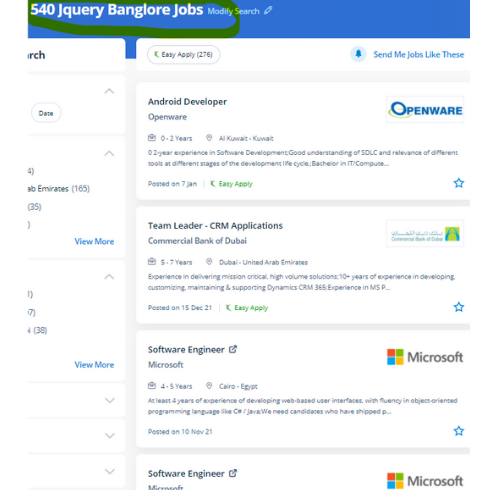
 Our course curriculum is organized well every module constitutes all fundamentals and experience versions and we provide live interactive classes. Page loading time is a vital factor for Google and other search engines use because that affects search engine optimization in order that developers should try to reduce code so jQuery has page load quicker. Explore the opportunities of jQuery professionals and you may be amazed by the required numbers. jQuery could be a JavaScript library that is a great blessing to all web developers, both beginners and experienced and it simplifies programming using JavaScript by providing easy and extremely easy-to-use condensed syntax. Our training is especially targeted at software Testing Professionals with a desire to know jQuery in enough detail along with its easy summary, and practical examples. web designers will simply shorten the time that's required to deploy a website or application because of its easy syntax and open coding. jQuery has its own open-source community in order that you may not have to spend money on costly licenses whenever you would like to include it into your website. JQuery online training at Nestsoft can enable you to resolve the matter of compatibility between different browsers without learning any new programming language and may enhance your career as a web programmer. Developers will add animation and interaction to a web page by writing some short lines of code, with facilitating by using jQuery. it has several plugins accessible that create making special effects simple and quick for web developers.